
macOS · iPhone · iPad
Remove hidden metadata from your photos and videos
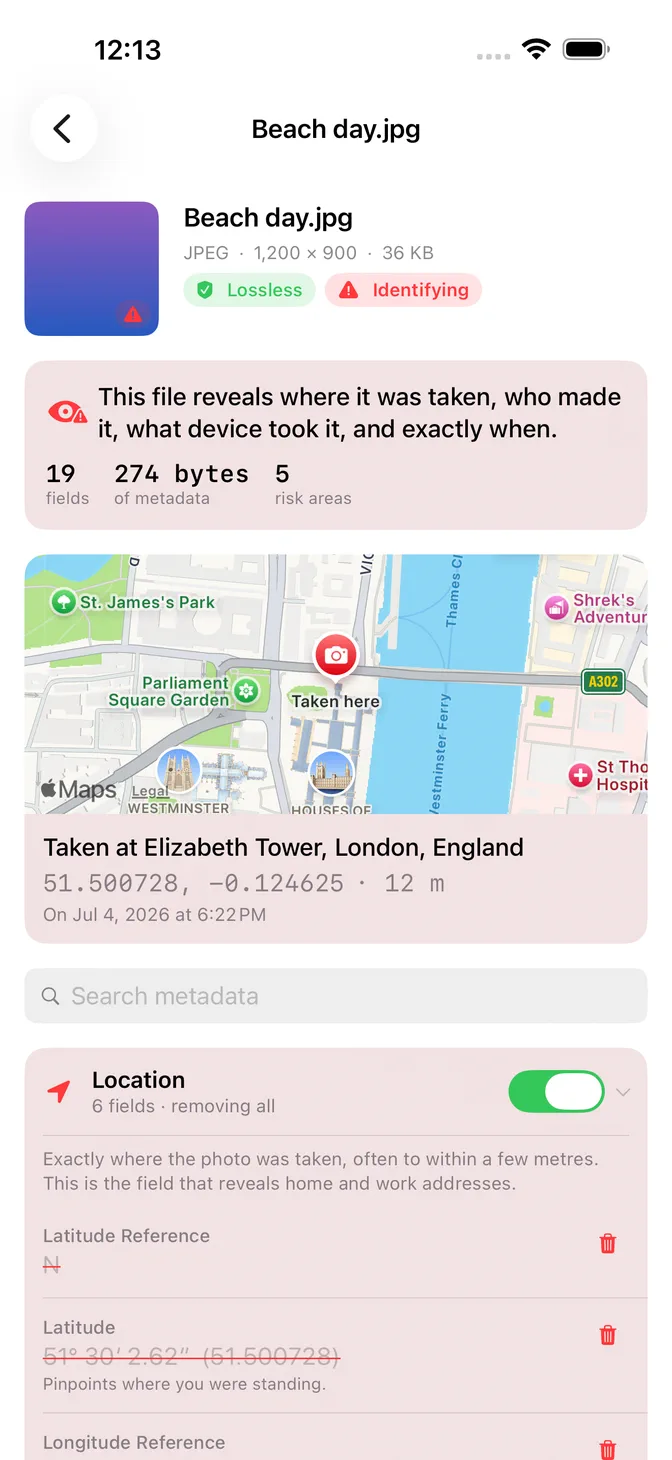
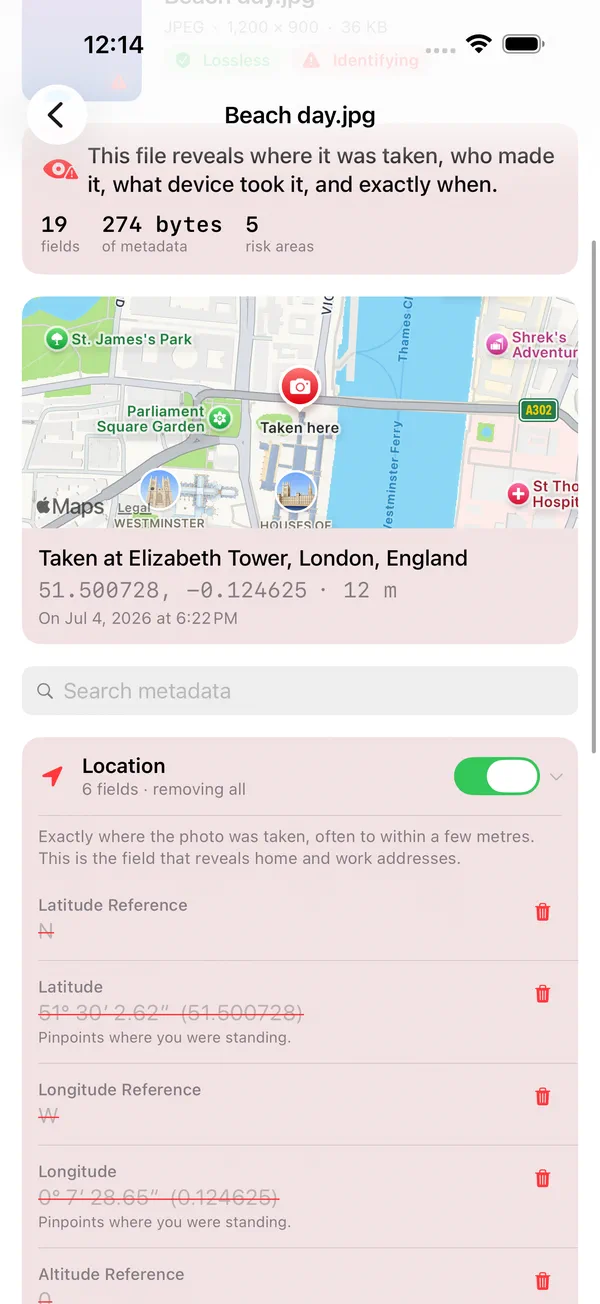
Photos and videos can carry GPS locations, timestamps and device details. See what is in yours, remove the metadata you choose, and share a clean copy without re-compressing the image. Your files stay on your device.
Free download · 5 free exports · No account needed
What it does
Remove the metadata. Keep the image quality.
01
Lossless, not re-encoded
Scrubb rewrites the container around your image and copies the compressed picture across untouched. A cleaned JPEG or HEIC is byte-for-byte identical where it counts and keeps its original format. No softer detail, no HEIC quietly turning into a JPEG.
02
Checked before export
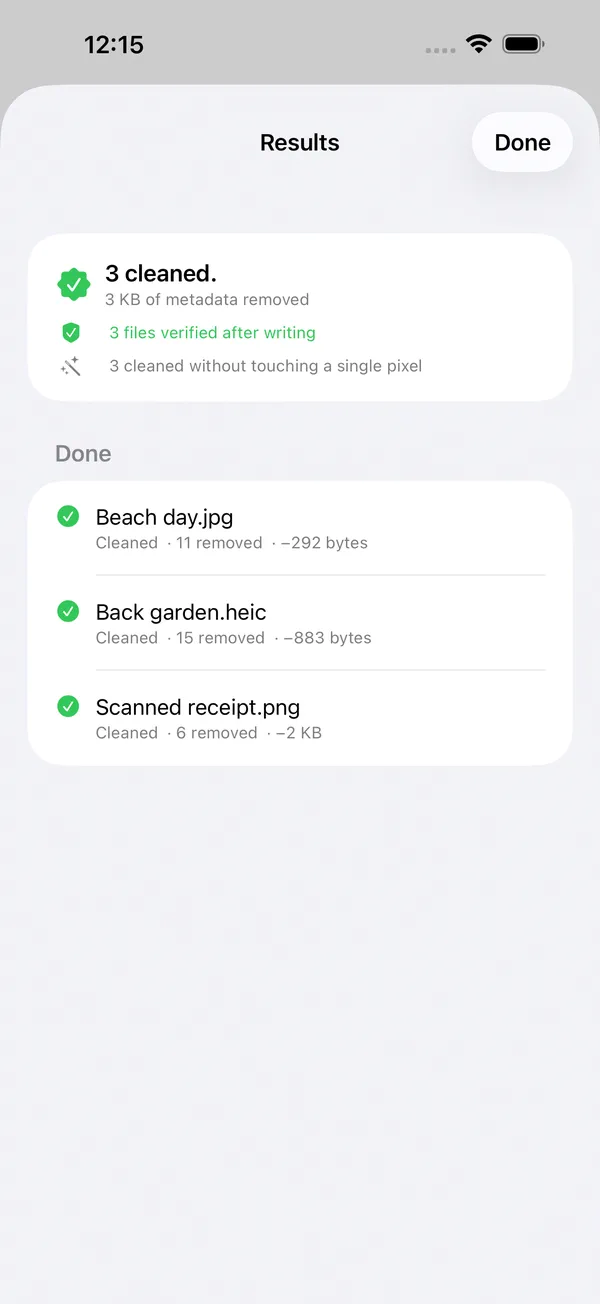
Scrubb checks the cleaned data before exporting it, including whether the selected metadata is gone. Image checks test decoding and dimensions; video checks inspect the container structure. Lossless image paths also compare decoded pixels. A failed check stops that export.
03
Your originals stay where they are
Save a cleaned copy and keep your source. Replacing an original is a separate choice behind its own confirmation. Scrubb refuses to rewrite camera RAW negatives.
04
Your files stay on your device
Metadata removal runs locally, with no file upload or account required. Map and place-name lookups use Apple services; purchases use the App Store.
05
Choose what to remove
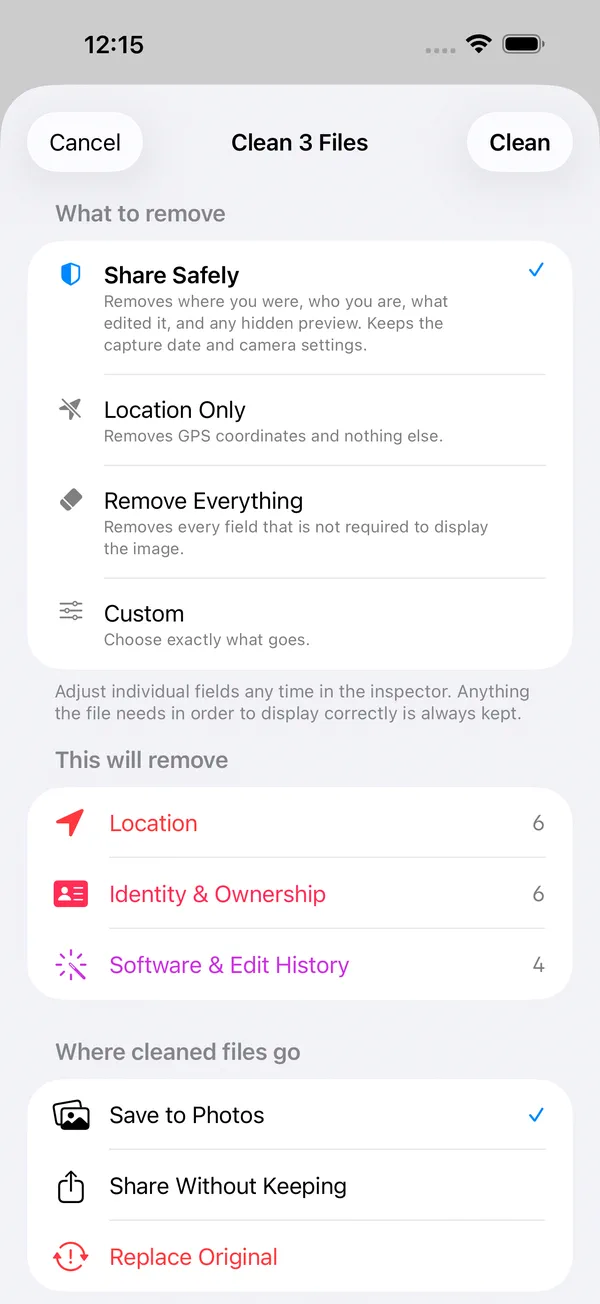
Remove everything, choose Location Only, or review individual fields in the inspector. Some formats remove metadata in blocks, so additional fields can disappear. Review the result before sharing.
06
Photos and video, in bulk
JPEG, PNG, HEIC, WebP, GIF and QuickTime video. Clean one file or a few hundred in a single pass, on Mac, iPhone and iPad.
In the app
See it before you send it.
Start free
Try it on a photo of your own.
The inspector is free forever. The first five exports are free and full-strength. After that, a one-time $7.99 purchase unlocks unlimited exports on Mac, iPhone and iPad. No subscription. The App Store shows your local price.
Add a file, inspect its metadata, then save a cleaned copy. Removing metadata does not hide faces, addresses or other details visible in the picture.

Before you share